Security Magazine logo
search
cart
facebook twitter linkedin youtube
  • Sign In
  • Create Account
  • Sign Out
  • My Account
Security Magazine logo
  • NEWS
    • Security Newswire
    • Technologies & Solutions
  • MANAGEMENT
    • Leadership Management
    • Enterprise Services
    • Security Education & Training
    • Logical Security
    • Security & Business Resilience
    • Profiles in Excellence
  • PHYSICAL
    • Access Management
    • Fire & Life Safety
    • Identity Management
    • Physical Security
    • Video Surveillance
    • Case Studies (Physical)
  • CYBER
    • Cybersecurity News
    • More
  • BLOG
  • COLUMNS
    • Career Intelligence
    • Cyber Tactics
    • Cybersecurity Education & Training
    • Leadership & Management
    • Security Talk
  • EXCLUSIVES
    • Annual Guarding Report
    • Most Influential People in Security
    • The Security Benchmark Report
    • Top Guard and Security Officer Companies
    • Top Cybersecurity Leaders
    • Women in Security
  • SECTORS
    • Arenas / Stadiums / Leagues / Entertainment
    • Banking/Finance/Insurance
    • Construction, Real Estate, Property Management
    • Education: K-12
    • Education: University
    • Government: Federal, State and Local
    • Hospitality & Casinos
    • Hospitals & Medical Centers
    • Infrastructure:Electric,Gas & Water
    • Ports: Sea, Land, & Air
    • Retail/Restaurants/Convenience
    • Transportation/Logistics/Supply Chain/Distribution/ Warehousing
  • EVENTS
    • Industry Events
    • Webinars
    • Solutions by Sector
    • Security 500 Conference
  • MEDIA
    • Interactive Spotlight
    • Photo Galleries
    • Podcasts
    • Polls
    • Videos
      • Cybersecurity & Geopolitical Discussion
      • Ask Me Anything (AMA) Series
  • MORE
    • Call for Entries
    • Classifieds & Job Listings
    • Continuing Education
    • Newsletter
    • Sponsor Insights
    • Store
    • White Papers
  • EMAG
    • eMagazine
    • This Month's Content
    • Advertise
  • SIGN UP!
Physical Security

Camera Placement: A Quick Lesson for Schools

By Mark S. Wilson
January 25, 2011
At most school districts, the word “security” is synonymous with “surveillance.” 

It has always been and still is the most popular security technology used in schools. In fact, school video security continues to expand faster than the overall security market.

A typical urban school district, such as Miami-Dade, can easily have thousands of cameras installed throughout its district. Some of these systems are very sophisticated, leveraging advanced surveillance capabilities and utilizing a broad range of technologies such as vandal-resistant outdoor dome cameras, outdoor pan-tilt-zoom (PTZ) cameras, vandal-resistant PTZ IP indoor dome cameras, plus high-resolution monitors to support their continuous 24/7 operation.

Most recently, K-12 installations typically use IP/digital video. The network infrastructure is usually available and schools have fewer restrictions on bandwidth usage than corporate accounts. Administrators also find it simple to zoom-in on images, track particular scenes and enhance features with IP. From high on the rooftop of a school building, they can zoom in and get a clear image of a license plate across the parking lot. Plus, they can cover an entire campus from fewer locations. 

Cameras at K-12 schools take a pounding. However, they need to continue working. Therefore, it is highly recommended that they feature IP66 housing, able to take on all types of weather and vandalism challenges.


Where Should Cameras Be Placed?

When it comes to security at schools, as compared with higher education facilities, access controls are more defined and in place, according to Mark S. Bennett, a certified security consultant with more than 25 years of experience in the security industry. “Most schools today have clear access rules and procedures for identifying parents and visitors.”

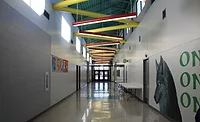
Bennett recommends breaking down different areas and locations within facilities and applying security procedures and technologies, including security video, as specific solutions. For instance, at schools, there are threats from kidnapping, especially in the lower grades. So, surveillance along the pick-up/drop-off line is essential to providing an audit trail. Indoors, most districts mix pan-tilt-zoom cameras along with fixed-position cameras. It is highly recommended that they be encased in domes to avoid being vandalized. The pan-tilt-zooms should be placed where 360 degrees of viewing are preferred, such as the central junction of four corridors. Individual hallways use fixed-position cameras, which cost less.

Schools should also place video cameras to look at entrances as well as at main offices and where IDs are checked. Bennett points out that new school designs typically create a vestibule where doors inside are locked and cameras placed there can provide a deterrent as well as an audit trail to determine if procedures are followed. “Audio recording also can prove helpful,” he says.

Inside facilities, security video is useful along corridors where students gather, to mitigate drug and gang activities.

“The cafeteria can be a real problem and PTZ cameras placed in corners with discreet domes are a solution,” Bennett suggests. A similar approach makes sense by placing cameras outside of the entrances to restrooms. The design respects privacy but could provide information about individuals if there is an incident inside a restroom. For example, schools often find threats written on restroom walls.

According to Bennett, security video also can manage safety issues such as in the automotive, welding and shop areas, and chemistry labs.

“Security video also plays a significant role in computer labs,” he asserts. “Many facilities now have rooms filled with desktop and laptop computers and theft is a problem. There is also value in installing cameras in gymnasiums where there is the potential for fights.”

Outdoors, a typical school implementation employs high-speed, high-resolution, PTZ cameras encased in weather-resistant domes. Each camera can follow a pre-programmed guard tour, moving continuously from one pre-set position to another. Operators can zoom in on objects or areas at will.

Outdoor day/night cameras will switch automatically between a color mode for daytime and a more light-sensitive monochrome for nighttime, providing 24-hour coverage in all light conditions. These two-in-one cameras not only cut the number of cameras needed, but also the number of domes needed for the system in half. They also reduce the costs of other hardware and installation labor as well as future maintenance expenditures. By being able to produce clear images in low-light conditions, school districts save the expense of installing additional lighting.


Tying the System Together

Larger districts, those with 75-plus buildings, will want to study the feasibility of networking their entire system, either via Ethernet or fiber optics. On-site Ethernet hubs can be established in each building to create a district-wide network connected through the Internet. With fiber optics, cables can be connected from hundreds of remote sites to a central monitoring station.

Smaller districts will want to consider setting up a small-scale digital system that consists of multiple cameras, a multiplexer (that controls viewing and recording), and several monitors and recorders in each building. Such a system is relatively inexpensive. It can be duplicated in all buildings, allowing standardized training and eliminating any problems with compatibility.


Caveat Emptor

The system must be implemented by an installer with considerable experience in school security, using good design practices. Otherwise, there will be myriad call-backs.  Schools need an integrator that can help them with pre- and post-sales support, troubleshooting, integration assistance, on-site training, firmware updates and system design to service/repair/replacement coordination.  

KEYWORDS: camera facilities school security

Share This Story

Looking for a reprint of this article?
From high-res PDFs to custom plaques, order your copy today!

Mark S. Wilson is vice president of marketing for Infinova

Recommended Content

JOIN TODAY
To unlock your recommendations.

Already have an account? Sign In

  • Iintegration and use of emerging tools

    Future Proof Your Security Career with AI Skills

    AI’s evolution demands security leaders master...
    Security Education & Training
    By: Jerry J. Brennan and Joanne R. Pollock
  • The 2025 Security Benchmark Report

    The 2025 Security Benchmark Report

    The 2025 Security Benchmark Report surveys enterprise...
    The Security Benchmark Report
    By: Rachelle Blair-Frasier
  • The Most Influential People in Security 2025

    Security’s Most Influential People in Security 2025

    Security Magazine’s 2025 Most Influential People in...
    Most Influential People in Security
    By: Security Staff
Manage My Account
  • Security Newsletter
  • eMagazine Subscriptions
  • Manage My Preferences
  • Online Registration
  • Mobile App
  • Subscription Customer Service

More Videos

Sponsored Content

Sponsored Content is a special paid section where industry companies provide high quality, objective, non-commercial content around topics of interest to the Security audience. All Sponsored Content is supplied by the advertising company and any opinions expressed in this article are those of the author and not necessarily reflect the views of Security or its parent company, BNP Media. Interested in participating in our Sponsored Content section? Contact your local rep!

close
  • critical event management
    Sponsored byEverbridge

    Why a Unified View Across IT, Continuity, and Security Makes or Breaks Crisis Response

  • Charlotte Star Room
    Sponsored byAMAROK

    In an Uncertain Economy, Security Is a Necessity - Not an Afterthought

  • Sureview screen
    Sponsored bySureView Systems

    The Evolution of Automation in the Command Center

Popular Stories

Cybersecurity trends of 2025

3 Top Cybersecurity Trends from 2025

Red laptop

Security Leaders Discuss SitusAMC Cyberattack

Green code

Logitech Confirms Data Breach, Security Leaders Respond

Neon human and android hands

65% of the Forbes AI 50 List Leaked Sensitive Information

The Louvre

After the Theft: Why Camera Upgrades Should Begin With a Risk Assessment

Top Cybersecurity Leaders

Events

September 18, 2025

Security Under Fire: Insights on Active Shooter Preparedness and Recovery

ON DEMAND: In today’s complex threat environment, active shooter incidents demand swift, coordinated and well-informed responses.

December 11, 2025

Responding to Evolving Threats in Retail Environments

Retail security professionals are facing an increasingly complex array of security challenges — everything from organized retail crime to evolving cyber-physical threats and public safety concerns.

View All Submit An Event

Products

Security Culture: A How-to Guide for Improving Security Culture and Dealing with People Risk in Your Organisation

Security Culture: A How-to Guide for Improving Security Culture and Dealing with People Risk in Your Organisation

See More Products

Related Articles

  • A Lesson Plan for Integrating Security, Including Solar

    See More
  • SEC1119-AI1-Feat-slide_900px

    Disinformation in 5.4 Billion Fake Accounts: A Lesson for the Private Sector

    See More
  • SEC0819-Cyber-Feat-slide1_900px

    The Communications Assistance for Law Enforcement Act: a Lesson from the Past

    See More

Related Products

See More Products
  • Physical Security and Safety: A Field Guide for the Practitioner

  • security culture.webp

    Security Culture: A How-to Guide for Improving Security Culture and Dealing with People Risk in Your Organisation

  • school security.jpg

    School Security: How to Build and Strengthen a School Safety Program

See More Products

Events

View AllSubmit An Event
  • June 11, 2012

    AXIS P85 Network Camera Series

    AXIS P85 Network Camera Series is designed for eye-level placement to provide perfect close-up shots.
  • June 6, 2012

    Basic Remote Connection for AXIS Camera Companion

    In this webinar, you will learn how to setup basic forwarding rules and Network address translation (NAT) in a router. We will also show you how to setup remote connection using AXIS Camera Companion.
View AllSubmit An Event
×

Sign-up to receive top management & result-driven techniques in the industry.

Join over 20,000+ industry leaders who receive our premium content.

SIGN UP TODAY!
  • RESOURCES
    • Advertise
    • Contact Us
    • Store
    • Want More
  • SIGN UP TODAY
    • Create Account
    • eMagazine
    • Newsletter
    • Customer Service
    • Manage Preferences
  • SERVICES
    • Marketing Services
    • Reprints
    • Market Research
    • List Rental
    • Survey/Respondent Access
  • STAY CONNECTED
    • LinkedIn
    • Facebook
    • YouTube
    • X (Twitter)
  • PRIVACY
    • PRIVACY POLICY
    • TERMS & CONDITIONS
    • DO NOT SELL MY PERSONAL INFORMATION
    • PRIVACY REQUEST
    • ACCESSIBILITY

Copyright ©2025. All Rights Reserved BNP Media.

Design, CMS, Hosting & Web Development :: ePublishing