Security Magazine logo
search
cart
facebook twitter linkedin youtube
  • Sign In
  • Create Account
  • Sign Out
  • My Account
Security Magazine logo
  • NEWS
    • Security Newswire
    • Technologies & Solutions
  • MANAGEMENT
    • Leadership Management
    • Enterprise Services
    • Security Education & Training
    • Logical Security
    • Security & Business Resilience
    • Profiles in Excellence
  • PHYSICAL
    • Access Management
    • Fire & Life Safety
    • Identity Management
    • Physical Security
    • Video Surveillance
    • Case Studies (Physical)
  • CYBER
    • Cybersecurity News
    • More
  • BLOG
  • COLUMNS
    • Career Intelligence
    • Cyber Tactics
    • Cybersecurity Education & Training
    • Leadership & Management
    • Security Talk
  • EXCLUSIVES
    • Annual Guarding Report
    • Most Influential People in Security
    • The Security Benchmark Report
    • Top Guard and Security Officer Companies
    • Top Cybersecurity Leaders
    • Women in Security
  • SECTORS
    • Arenas / Stadiums / Leagues / Entertainment
    • Banking/Finance/Insurance
    • Construction, Real Estate, Property Management
    • Education: K-12
    • Education: University
    • Government: Federal, State and Local
    • Hospitality & Casinos
    • Hospitals & Medical Centers
    • Infrastructure:Electric,Gas & Water
    • Ports: Sea, Land, & Air
    • Retail/Restaurants/Convenience
    • Transportation/Logistics/Supply Chain/Distribution/ Warehousing
  • EVENTS
    • Industry Events
    • Webinars
    • Solutions by Sector
    • Security 500 Conference
  • MEDIA
    • Interactive Spotlight
    • Photo Galleries
    • Podcasts
    • Polls
    • Videos
      • Cybersecurity & Geopolitical Discussion
      • Ask Me Anything (AMA) Series
  • MORE
    • Call for Entries
    • Classifieds & Job Listings
    • Continuing Education
    • Newsletter
    • Sponsor Insights
    • Store
    • White Papers
  • EMAG
    • eMagazine
    • This Month's Content
    • Advertise
  • SIGN UP!
CybersecurityManagementSecurity Newswire

Risky remote work behaviors your employees are probably guilty of right now

By Trevor Collins
cyber behaviors to watch from employees
August 12, 2021

As organizations start to think about the post-pandemic work environment, many are re-considering the benefits and drawbacks of remote work. Allowing employees to work from home increases morale but can also increase the risks. From leaking company data to ransomware, remote employees have created a host of new challenges for security professionals.  Let’s look at some of the most serious risks – which I've observed since working from home – and review how IT and security professionals can work to better protect their organizations.  

Threat 1: Not ensuring devices are updated  

Depending on the setup, a corporate environment can only update a device connected to the corporate network, typically with a VPN. If employees don't regularly connect over a VPN, updates to security software and configuration changes might not happen. Without a connection to a corporate Active Directory, updating software falls on the user. Not all users will have the knowledge or ability to update all programs, which can create more work for IT. 

When possible, IT should have programs update automatically. Software update managers installed on workstations can help manage updates outside of the corporate network. But inevitably there will be some programs that can’t automatically update and aren’t supported by the update manager. For these programs, I recommend having users check for updates on a regular basis. Whether you adopt a schedule like Update Tuesdays or you create your own schedule, checking for updates at least once per month should be basic table stakes. If users have problems updating a program, encourage them to use different software.  

Threat 2: Using personal devices for work 

For good or bad, some employees use personal devices for work. The most basic example of this is using a personal phone for multi-factor authentication (MFA). Employees working from home will often use their own routers to protect their workstations. A malicious actor may choose to take advantage of the generally lower security of a home router to compromise it rather than a corporate router and firewall with much higher security standards. Giving remote users the minimum access necessary to get their work done will help protect the corporate network if a home network is compromised.

To restrict access, create VPN policies that only allow required access. You may have gotten away with a generic “any” policy on a VPN for one or two occasional users in the past, but for larger organizations with more remote users, role-based access control (RBAC) is a more secure approach. This separates users based on their role. For instance, HR probably doesn’t need access to the engineers’ server and customer care reps probably don’t need access to financial data. Additionally, protect users that access the corporate network via VPN from another user’s compromised home network by preventing other VPN users from connecting to them directly.  

Threat 3: Not using multi-factor authentication (MFA) in a VPN 

Every month we find millions of stolen credentials online and available for download. While many of these credentials have hashed passwords that provide some protection, readily available hacking tools can make easy work of many hashes and reveal the corresponding password. If a user employs the same passwords for VPN access as they do for other services (an unfortunately common and terrible practice), the attacker can access anything the user can access. Because WFH users will connect over a VPN in most cases, protecting access to the VPN is critical to protecting the corporate network. A straightforward way to protect against credential leaks is to require each user to be authenticated securely with MFA when using a VPN.  

While there are always new security challenges for corporate networks, using MFA and RBAC on your VPN offers a good start when protecting your corporate network. In fact, these best practices shouldn’t only apply to VPN access, but to all areas for securing a network.  

Threat 4: No WFH policy and training  

At the start of the WFH experiment last year, many companies created policy exceptions for remote employees. Now it’s time to consider creating more permanent WFH security policies. Companies that already have preexisting policies should review them now.

Among the most important considerations for these policies is ensuring that they help employees be more productive. An overly burdensome policy with many exceptions may not only cause delays and frustration among employees but could also lead to exceptions that don’t follow best practices. Speaking of best practices, they need to be top of mind when creating new rules and policies to balance the security and productivity of employees. NIST offers some good tips for creating security policies for remote employees.

Along with policy changes, don’t forget to provide security training for employees that includes best practices in WFH environments. Never assume employees understand the risks and potential vulnerabilities of working remotely.  

Threat 5: Contingency plans don’t include work from home users 

A good contingency plan allows the company to continue running and avoid irreparable harm when there is an incident, such as a network outage or a breach. A contingency plan must include additional scenarios such as VPN access to backup servers when the main VPN server fails and timely physical access to servers by IT with the know-how on how to resolve the issue.     

If you don't already have a contingency plan that protects your servers from ransomware and other attacks, you’re not alone. But you should have one as part of your security policy. No security measure can provide 100% protection for your devices, and the price for better security rises exponentially as you try to achieve “perfect” security. At some point the price for the security is higher than the revenue lost from an incident. Formulas created by security experts have made this process easier to determine how much to spend on business continuity and disaster recovery (BCDR) plans and how much to spend on security.   

Many organizations today are trying to find their way forward in the new remote and hybrid work model. These are just a few of the most common vulnerabilities that security professionals need to consider. But addressing these first, IT pros can provide a reasonable measure of protection in an always-evolving threat landscape.  

KEYWORDS: cyber security ransomware risk and resilience

Share This Story

Looking for a reprint of this article?
From high-res PDFs to custom plaques, order your copy today!


Trevor collins

Trevor Collins is a Security Analyst at WatchGuard Technologies.

Recommended Content

JOIN TODAY
To unlock your recommendations.

Already have an account? Sign In

  • Iintegration and use of emerging tools

    Future Proof Your Security Career with AI Skills

    AI’s evolution demands security leaders master...
    Security Education & Training
    By: Jerry J. Brennan and Joanne R. Pollock
  • The 2025 Security Benchmark Report

    The 2025 Security Benchmark Report

    The 2025 Security Benchmark Report surveys enterprise...
    The Security Benchmark Report
    By: Rachelle Blair-Frasier
  • The Most Influential People in Security 2025

    Security’s Most Influential People in Security 2025

    Security Magazine’s 2025 Most Influential People in...
    Most Influential People in Security
    By: Security Staff
Manage My Account
  • Security Newsletter
  • eMagazine Subscriptions
  • Manage My Preferences
  • Online Registration
  • Mobile App
  • Subscription Customer Service

More Videos

Sponsored Content

Sponsored Content is a special paid section where industry companies provide high quality, objective, non-commercial content around topics of interest to the Security audience. All Sponsored Content is supplied by the advertising company and any opinions expressed in this article are those of the author and not necessarily reflect the views of Security or its parent company, BNP Media. Interested in participating in our Sponsored Content section? Contact your local rep!

close
  • critical event management
    Sponsored byEverbridge

    Why a Unified View Across IT, Continuity, and Security Makes or Breaks Crisis Response

  • Charlotte Star Room
    Sponsored byAMAROK

    In an Uncertain Economy, Security Is a Necessity - Not an Afterthought

  • Sureview screen
    Sponsored bySureView Systems

    The Evolution of Automation in the Command Center

Popular Stories

Cybersecurity trends of 2025

3 Top Cybersecurity Trends from 2025

Red laptop

Security Leaders Discuss SitusAMC Cyberattack

Green code

Logitech Confirms Data Breach, Security Leaders Respond

Neon human and android hands

65% of the Forbes AI 50 List Leaked Sensitive Information

The Louvre

After the Theft: Why Camera Upgrades Should Begin With a Risk Assessment

Top Cybersecurity Leaders

Events

September 18, 2025

Security Under Fire: Insights on Active Shooter Preparedness and Recovery

ON DEMAND: In today’s complex threat environment, active shooter incidents demand swift, coordinated and well-informed responses.

December 11, 2025

Responding to Evolving Threats in Retail Environments

Retail security professionals are facing an increasingly complex array of security challenges — everything from organized retail crime to evolving cyber-physical threats and public safety concerns.

View All Submit An Event

Products

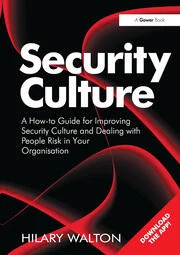
Security Culture: A How-to Guide for Improving Security Culture and Dealing with People Risk in Your Organisation

Security Culture: A How-to Guide for Improving Security Culture and Dealing with People Risk in Your Organisation

See More Products

Related Articles

  • hands holding cell phone

    Top 10 risky behaviors of employees uncovered

    See More
  • remote work

    74% of Finance Leaders Intend to Shift Some Employees to Remote Work Permanently Post-COVID-19

    See More
  • coronavirus

    Simple Security Steps for Employees and Employers – Establishing Secure and Flexible Remote Work Environments

    See More

Related Products

See More Products
  • security culture.webp

    Security Culture: A How-to Guide for Improving Security Culture and Dealing with People Risk in Your Organisation

  • 1119490936.jpg

    Solving Cyber Risk: Protecting Your Company and Society

See More Products
×

Sign-up to receive top management & result-driven techniques in the industry.

Join over 20,000+ industry leaders who receive our premium content.

SIGN UP TODAY!
  • RESOURCES
    • Advertise
    • Contact Us
    • Store
    • Want More
  • SIGN UP TODAY
    • Create Account
    • eMagazine
    • Newsletter
    • Customer Service
    • Manage Preferences
  • SERVICES
    • Marketing Services
    • Reprints
    • Market Research
    • List Rental
    • Survey/Respondent Access
  • STAY CONNECTED
    • LinkedIn
    • Facebook
    • YouTube
    • X (Twitter)
  • PRIVACY
    • PRIVACY POLICY
    • TERMS & CONDITIONS
    • DO NOT SELL MY PERSONAL INFORMATION
    • PRIVACY REQUEST
    • ACCESSIBILITY

Copyright ©2025. All Rights Reserved BNP Media.

Design, CMS, Hosting & Web Development :: ePublishing