Security Magazine logo
search
cart
facebook twitter linkedin youtube
  • Sign In
  • Create Account
  • Sign Out
  • My Account
Security Magazine logo
  • NEWS
    • Security Newswire
    • Technologies & Solutions
  • MANAGEMENT
    • Leadership Management
    • Enterprise Services
    • Security Education & Training
    • Logical Security
    • Security & Business Resilience
    • Profiles in Excellence
  • PHYSICAL
    • Access Management
    • Fire & Life Safety
    • Identity Management
    • Physical Security
    • Video Surveillance
    • Case Studies (Physical)
  • CYBER
    • Cybersecurity News
    • More
  • BLOG
  • COLUMNS
    • Career Intelligence
    • Cyber Tactics
    • Cybersecurity Education & Training
    • Leadership & Management
    • Security Talk
  • EXCLUSIVES
    • Annual Guarding Report
    • Most Influential People in Security
    • The Security Benchmark Report
    • Top Guard and Security Officer Companies
    • Top Cybersecurity Leaders
    • Women in Security
  • SECTORS
    • Arenas / Stadiums / Leagues / Entertainment
    • Banking/Finance/Insurance
    • Construction, Real Estate, Property Management
    • Education: K-12
    • Education: University
    • Government: Federal, State and Local
    • Hospitality & Casinos
    • Hospitals & Medical Centers
    • Infrastructure:Electric,Gas & Water
    • Ports: Sea, Land, & Air
    • Retail/Restaurants/Convenience
    • Transportation/Logistics/Supply Chain/Distribution/ Warehousing
  • EVENTS
    • Industry Events
    • Webinars
    • Solutions by Sector
    • Security 500 Conference
  • MEDIA
    • Interactive Spotlight
    • Photo Galleries
    • Podcasts
    • Polls
    • Videos
      • Cybersecurity & Geopolitical Discussion
      • Ask Me Anything (AMA) Series
  • MORE
    • Call for Entries
    • Classifieds & Job Listings
    • Newsletter
    • Sponsor Insights
    • Store
    • White Papers
  • EMAG
    • eMagazine
    • This Month's Content
    • Advertise
  • SIGN UP!

Mobile Device – Where Logical and Physical Come Together
By Krishna Laudenslager
July 1, 2008

Security executives and enterprise officials can use tools to physically protect mobile devices as well as the information contained in them. One example is software-based “black-listing” applications.



Just like physical security, CSOs and staff can lock up their mobile devices to protect against unsolicited access. A mobile user can enter unlimited private phone numbers and letters, keeping all important information in one safe place.

Today’s mobile phones combine nearly all functionality offered by separate portable devices, making it a great advantage to the business, security and consumer users who want to have everything at hand, and do not want to carry too many gadgets or be afraid of leaving something behind. The mobile device also is where the rubber hits the road when it comes to the convergence of physical and logical security.

Mobile users do not have to carry photo and video cameras, laptops, address books or other necessities -- nearly every option is available in one tiny device. Offering many more options than those of previous generations, devices like smartphones combine some great capabilities offered by computers, photo and video cameras and phones, making a busy life more manageable than ever.

WHAT KIND OF THREATS

But what threats do business and consumer users encounter when they own and carry mobile phones? One of the biggest worries is loss or theft, and, most importantly, the loss and misuse of business or personal data with it.


Many mobile users enter secure information such as security data, bank account numbers and passwords, contact information or business correspondence. There are ways to better protect that information. For example, software packages for Windows Mobile Pocket PC protects mobile users’ data by locking it against unsolicited access.  The mobile user can enter unlimited private phone numbers and letters, keeping all important information in one safe, easy-to-access place, always at hand.


At the heart of such an approach is a diversity of unique information forms and easily customizable templates. Mobile user’s security, business and private data -- such as passwords, credit card numbers, user names, codes, PINs, addresses, travel information, insurance policies, software keys, and more -- can be securely saved and protected.  Information cards can be arranged in folders, with the ability to create new ones when necessary.  In the example above, a desktop agent synchronizes data between the mobile device and PC.



Krishna Laudenslager is a technical writer based in suburban . Katia Shabanova is with Paragon Software Group.


CSOS DEPEND ON MOBILE DEVICES

Of course, chief security officers and their staff members still rely on a mobile device as a telephone.  There are drawbacks to being instantly accessible.  The mobile user can be reached any time of the day or night by unsolicited phone calls or SMS messages.  How many times a day do we receive unwanted phone calls, wasting time and sometimes disturbing important meetings or activities?


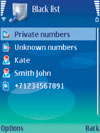
There are now options protecting the mobile user’s privacy and saving time, while also offering that much-needed peace of mind. For example, one important category of software allows mobile users to block all unwanted callers by adding phone numbers to the “black list,” either permanently or for a set period of time, or to create “white” lists -- special contact groups whose phone calls will be allowed to be received while all other calls are rejected.  Users can also choose a “reject” action that will automatically send callers a prewritten text message, all fully customizable and simple to use.


The application allows users to professionally manage and reject all types of incoming calls from intrusive people, private or unknown callers, and to temporarily block all calls except those the mobile user designates. The unwanted calls will be recorded and can be viewed on the application’s call log. Such an approach also allows a floating indicator on the phone’s active standby screen showing the name of the list in use and numbers of missed
phone calls.


Security has always been an issue with business and personal computing, but it has become increasingly important for mobile users in security and business operations and who have become reliant on such gadgets.


SIDEBAR: Mobile Devices Turning into a Financial Wallet

And then think of the security headaches.


First, naturally, in , but coming to a hand near you. Cellular telephones and especially smartphones are turning into a way to buy things.


There is no swiping. With just a keystroke or two, a person can purchase everything from boiled soy beans and digital cameras to a flash drive or a three-course dinner. It’s the ultimate in convergence between a telephone and a credit card.


The next step? Mobile, multi-functional devices such as smartphones will turn into a door access card, too.


Share This Story

Looking for a reprint of this article?
From high-res PDFs to custom plaques, order your copy today!

Recommended Content

JOIN TODAY
To unlock your recommendations.

Already have an account? Sign In

  • Cyber tech background

    Security’s Top Cybersecurity Leaders 2026

    Security magazine’s Top Cybersecurity Leaders 2026 award...
    Cybersecurity
  • Iintegration and use of emerging tools

    Future Proof Your Security Career with AI Skills

    AI’s evolution demands security leaders master...
    Security Education & Training
    By: Jerry J. Brennan and Joanne R. Pollock
  • The 2025 Security Benchmark Report

    The 2025 Security Benchmark Report

    The 2025 Security Benchmark Report surveys enterprise...
    The Security Benchmark Report
    By: Rachelle Blair-Frasier
Manage My Account
  • Security Newsletter
  • eMagazine Subscriptions
  • Manage My Preferences
  • Online Registration
  • Mobile App
  • Subscription Customer Service

More Videos

Sponsored Content

Sponsored Content is a special paid section where industry companies provide high quality, objective, non-commercial content around topics of interest to the Security audience. All Sponsored Content is supplied by the advertising company and any opinions expressed in this article are those of the author and not necessarily reflect the views of Security or its parent company, BNP Media. Interested in participating in our Sponsored Content section? Contact your local rep!

close
  • Northland Controls sponsored content
    Sponsored byNorthland Controls

    The Execution Gap: Why Great Security Design Doesn't Always Deliver Great Security

Popular Stories

security

6 Crisis Response Best Practices (That Actually Hold Up When Things go Sideways)

Photograph of apartment complex patios

Enhancing Residential Building Security

Blurry photo of people moving through the mall

Violence Remains Top Concern for Retailers

5 Minutes with Johnson

Can Organizations Trust Their Own AI?

Man in suit looking out window at city

Why GSOCs and Protective Intelligence Are the Cornerstone of Executive Protection

Events

August 27, 2026

Leveraging AI & Mobility to Advance Your Security Domain

LIVE: August 27, 2026 at 2 PM EDT Explore how AI-driven cloud security solutions can elevate your security domain enhancing threat detection, streamlining operations, and delivering the resilience modern organizations demand.

September 10, 2026

So, You Have an Emergency Management Plan… Now What?

LIVE: September 10, 2026 at 2 PM EDT Turning an emergency management plan into an actionable program that prepares staff, students, and partners to respond effectively is a challenge. Learn to move beyond compliance and build a resilient school safety program.
View All Submit An Event

Products

Security Culture: A How-to Guide for Improving Security Culture and Dealing with People Risk in Your Organisation

Security Culture: A How-to Guide for Improving Security Culture and Dealing with People Risk in Your Organisation

See More Products


Alertmedia sponsored webinar

Related Articles

  • RSA 2017: The "Culture" of Cybersecurity Collaboration

    Cybersecurity Experts Come Together to Fight Coronavirus-Related Cyberattacks

    See More
  • hands holding cell phone

    55% of employees solely use mobile device for work while traveling

    See More
  • Mobile device security at work

    Network vs. mobile device management in the age of remote work

    See More

Related Products

See More Products
  • Physical Layer Security in Wireless Communications

  • Physical Security and Safety: A Field Guide for the Practitioner

  • The Complete Guide to Physical Security

See More Products
×

Sign-up to receive top management & result-driven techniques in the industry.

Join over 20,000+ industry leaders who receive our premium content.

SIGN UP TODAY!
  • RESOURCES
    • Advertise
    • Contact Us
    • Store
    • Want More
  • SIGN UP TODAY
    • Create Account
    • eMagazine
    • Newsletter
    • Customer Service
    • Manage Preferences
  • SERVICES
    • Marketing Services
    • Reprints
    • Market Research
    • List Rental
    • Survey/Respondent Access
  • STAY CONNECTED
    • LinkedIn
    • Facebook
    • YouTube
    • X (Twitter)
  • PRIVACY
    • PRIVACY POLICY
    • TERMS & CONDITIONS
    • DO NOT SELL MY PERSONAL INFORMATION
    • PRIVACY REQUEST
    • ACCESSIBILITY

Copyright ©2026. All Rights Reserved BNP Media, Inc. and BNP Media II, LLC.

Design, CMS, Hosting & Web Development :: ePublishing