Making videoconferences more secure
The surge in their use has also led to a surge in their abuse. But there are steps you can take to better secure your videoconferences.
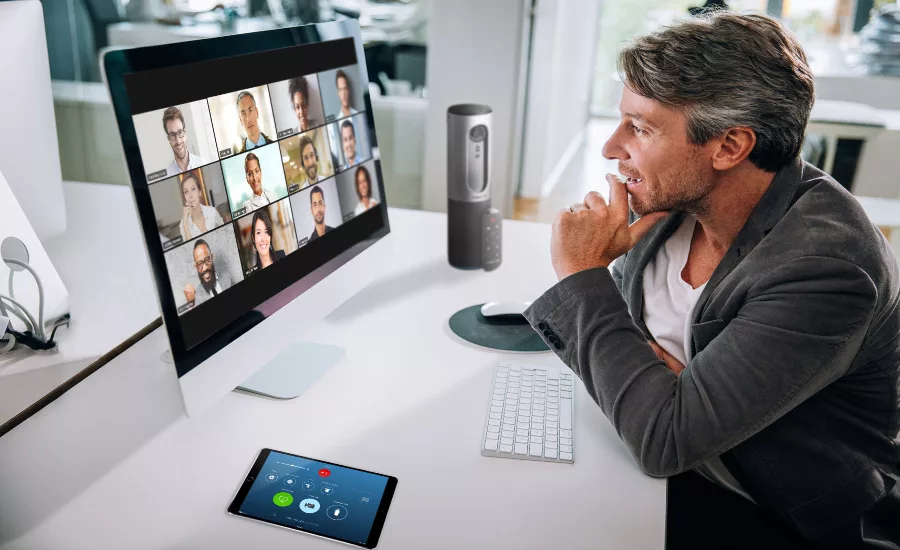
Videoconferencing has been around for a surprisingly long time. In fact, the first call involving both audio and video links has been traced all the way back to 1927 in a call that took place between officials in Washington, DC and the president of AT&T in New York. Although it was laughably primitive by current standards, electronic conferencing technology has never stopped growing in either refinement or use.
But it wasn’t until the Covid-19 pandemic began wreaking havoc on in-person events that the use of videoconferencing exploded to include public symposia and private meetings of every sort. Having that ability has been a tremendous asset to all types of organizations, allowing employees to conduct their business and remain productive without risking infection from personal contact. But it has also introduced some novel security issues.
One issue that arises is when bad actors anonymously disrupt videoconferences with crude language and texts. There are plenty of examples. However, obnoxious disruptions of online meetings are not the only security concerns of videoconferencing. Private companies and government agencies also hold proprietary business meetings online, and the information they exchange is not intended to be shared with the outside world. Protecting those meetings from intruders and maintaining the privacy of the information exchanged there has become an essential aspect of business security. Particularly if you’re doing business involving someone in the European Union, there is a whole regimen of privacy law that applies, and penalties for violating GDPR regulations can be quite serious.
At the same time, though, there are methods which can and should be used by meeting organizers to narrow their exposure to security threats. One way is to issue unique, one-time-only links or IDs that would be hard for uninvited visitors to guess. Then you can lock the meeting once it’s underway, if your system allows it. If your specific videoconferencing application assigns everyone a permanent meeting link, urge participants to be judicious about sharing it.
Another tactic involves stacking a series of access protocols. These can include such measures as issuing complex online meeting links, formulating unique passwords, requiring those dialing in via their cellular provider to enter a passcode, and locking meetings so that admission is only by the host’s discretion. Conference software offering those features may be particularly appropriate for use in business meetings where sensitive information is being discussed.
But there is a tradeoff: the same strategies that keep unwelcome visitors out can create problems for public meetings, worship services, and other events where increasing, rather than restricting attendance, is the priority. For situations where the invitation to participate is open to the public and there is no way of knowing in advance who is coming and therefore no way they can be armed in advance with appropriate access codes, complicating visitor access is clearly not the answer. And particularly when the intended audience includes people whose comfort and familiarity with technology is limited, complexity becomes an obstacle to participation.
Instead, for public meetings where it is either inappropriate, difficult, or undesirable to manage the identities of meeting participants, it can be a good idea to use the software’s participant permission functionalities. These are fairly common features in today’s meeting products, and they allow the host to exert greater control by limiting participants’ forms of interaction. Examples could include disabling participants’ cameras, microphones, screen sharing, and chat functions.
When necessary, conduct a roll call before starting a meeting. That can be important because legitimate guests who may be joining with their personal devices might be identified on screen in unfamiliar ways. Ask them to identify themselves. If someone is there who’s not on the guest list, the host can generally remove them, using the meeting organizer’s control panel, before discussing any sensitive material.
Select a supplier of videoconference software that provides data encryption with wide coverage, ideally offering end-to-end encryption of video, audio, chat and screen sharing data channels, that can prevent third parties from accessing any readable data travelling between devices involved in the meeting. Verify that the service is compatible with a wide range of digital devices and operating systems. Today, with so many organizations having their personnel work from home using personal electronic devices, it’s essential not to let limitations of the meeting software exclude people who should be in your videoconference from participating simply because they have the wrong brand of tablet. Also make sure the software offers credible third-party certification such as ISO-9001 and uses known protocols for GDPR and HIPPA compliance.
With a handful of exceptions, privacy protection laws in the United States are uneven and generally lax, at least for the time being. But in Europe, that’s not the case. If you’re going to record a meeting involving any European residents, you’ll first need to secure the explicit consent of everyone attending whose comments or likenesses are about to be recorded. Eavesdropping on meetings uninvited and sharing any personal or meeting data beyond what has been explicitly agreed to, is against the law. The same applies to hacking into meeting data which is kept in storage.
Classic phishing techniques and tactics to seek out weak passwords on shared systems are still the most frequently used methods for gaining unauthorized access to company networks. However, taking the steps noted here will help to minimize intrusion and theft of information from videoconferences.
At the same time, though, no system is completely hack-proof. Think of videoconferences as just one more digital asset to protect. If you do become aware of an information breach from a videoconference, treat it as you would if it were a hack on your organization’s data center: identify and report the exposure, contain and recover information as best as possible, assess the damages, issue notifications to the affected parties and appropriate authorities, evaluate the causes of the hack, and keep records of the incident as well as your responses to it.
Given the popularity of videoconferencing, it’s not surprising that there are a number of companies competing to supply software you can use to conduct such meetings. Of course, each of them works a bit differently and features different controls that can be useful in protecting videoconferences. Taking the time to familiarize yourself with the software you plan to use before a meeting will always be time well spent.
Looking for a reprint of this article?
From high-res PDFs to custom plaques, order your copy today!



.webp?height=200&t=1664830297&width=200 "douglas-lopes-ehyV_XOZ4iA-unsplash (1).jpg")
