Security Magazine logo
search
cart
facebook twitter linkedin youtube
  • Sign In
  • Create Account
  • Sign Out
  • My Account
Security Magazine logo
  • NEWS
    • Security Newswire
    • Technologies & Solutions
  • MANAGEMENT
    • Leadership Management
    • Enterprise Services
    • Security Education & Training
    • Logical Security
    • Security & Business Resilience
    • Profiles in Excellence
  • PHYSICAL
    • Access Management
    • Fire & Life Safety
    • Identity Management
    • Physical Security
    • Video Surveillance
    • Case Studies (Physical)
  • CYBER
    • Cybersecurity News
    • More
  • BLOG
  • COLUMNS
    • Career Intelligence
    • Cyber Tactics
    • Cybersecurity Education & Training
    • Leadership & Management
    • Security Talk
  • EXCLUSIVES
    • Annual Guarding Report
    • Most Influential People in Security
    • The Security Benchmark Report
    • Top Guard and Security Officer Companies
    • Top Cybersecurity Leaders
    • Women in Security
  • SECTORS
    • Arenas / Stadiums / Leagues / Entertainment
    • Banking/Finance/Insurance
    • Construction, Real Estate, Property Management
    • Education: K-12
    • Education: University
    • Government: Federal, State and Local
    • Hospitality & Casinos
    • Hospitals & Medical Centers
    • Infrastructure:Electric,Gas & Water
    • Ports: Sea, Land, & Air
    • Retail/Restaurants/Convenience
    • Transportation/Logistics/Supply Chain/Distribution/ Warehousing
  • EVENTS
    • Industry Events
    • Webinars
    • Solutions by Sector
    • Security 500 Conference
  • MEDIA
    • Interactive Spotlight
    • Photo Galleries
    • Podcasts
    • Polls
    • Videos
      • Cybersecurity & Geopolitical Discussion
      • Ask Me Anything (AMA) Series
  • MORE
    • Call for Entries
    • Classifieds & Job Listings
    • Newsletter
    • Sponsor Insights
    • Store
    • White Papers
  • EMAG
    • eMagazine
    • This Month's Content
    • Advertise
  • SIGN UP!
CybersecurityCybersecurity NewsEducation: K-12

Back to School Security for iPads in the Classroom

By Nicholas Ptacek
school security ipads
September 27, 2016

While the tools available to educators looking to integrate technology into the classroom are now better than ever before, there are still security considerations to take into account when implementing a digital curriculum.

As a provider of Apple-centric security solutions, SecureMac has outlined five of the top challenges faced when deploying iPads in a school setting, along with solutions that leverage the benefits of this powerful new technology in a safe and secure manner.


Problem faced by schools: Securely deploying and managing devices

Schools need a centralized system to efficiently handle tasks including app installation, software updates and locating missing devices. Additionally, steps must be taken to ensure that proper access control and security configurations are in place on any network that will be used by student devices.

Solution: Apple School Manager, coupled with a mobile device management (MDM) solution, allows a school to control all aspects of device deployment and management, including the ability to remotely lock or wipe devices in the event of loss or theft. Best security practices should be followed when integrating access for student iPads into an existing school network.  Student devices should be audited on a regular basis to ensure that they have not been jailbroken to run unauthorized apps.


Problem faced by schools: Maintaining student privacy in a digital environment

Student privacy needs to be a top priority for any educational institution looking to harness the power of technology in the classroom. Apple does not collect information or track students, but data collection might be present in third-party apps used as part of the education curriculum. Not only do schools need to maintain the privacy of student addresses, birthdates and other personal information, they also need to ensure the compartmentalization of student-generated data when it comes to things like school assignments, essays and projects.

Solution: School administrators should periodically review the privacy policies of third-party apps to identify parental consent requirements and ensure compliance with existing student privacy policies. Apple’s recent introduction of a multi-user mode for iPads in education makes it possible to maintain individual account access on shared devices, which is especially useful when it is not possible to deploy devices to students on 1:1 basis.


Problem faced by students: Cyberbullying and online harassment

No longer relegated to the schoolyard, cyberbullying and anonymous online harassment can take place 24 hours a day, seven days a week, and as such can be much harder to identify and address. It is important to provide guidance and student outreach on the risks associated with these new forms of bullying, as well as to educate students on the danger of sharing personal and private information over the internet.

Solution: Teachers should make use of resources such as those found on stopbullying.gov in order to coordinate with parents and discuss online harassment and cyberbullying with students.


Problem faced by teachers: Limiting student access to inappropriate content

One of the problems faced when utilizing technology as a teaching aid is keeping students on-task in the classroom by limiting their access to inappropriate content and apps. While there are tools available to mitigate this risk in a school environment, additional challenges are presented when student devices will also be used at home.

Solution: Teachers can use the Classroom app to view any student’s iPad screen, launch specific apps or textbook pages on each iPad, or lock iPads into a single app to help students stay focused on the subject at hand. As part of device deployment, schools can restrict student access to specific approved apps as well as implement content filtering to block access to inappropriate websites. Coordination with parents might be required in situations where student devices will be used outside of school, as home networks often lack content-filtering capabilities. In such cases, parents should discuss appropriate internet usage with their children and limit the use of school-issued iPads to public areas of the house.


Problem faced by schools: App security and malware concerns

When evaluating apps to include as part of the educational curriculum, schools need a way to verify the security of third-party apps in order to avoid malware threats or potential privacy concerns. While Apple’s review process keeps the vast majority of malware out of the App Store, apps that make it onto an MDM’s whitelist might still have security or privacy concerns that a school should be aware of.

Solution: Schools should consider using a service such as https://verify.ly to uncover potential security or privacy concerns that might have been missed during the app review process by Apple or their MDM vendor.


Relevant links and further reading

The following links provide more in-depth information on the topics discussed in this article and are recommended reading for anyone looking to introduce iPads into their educational environment.

Apple education program overview: https://www.apple.com/education/it/

Apple School Manager guide: https://help.apple.com/schoolmanager/

Classroom App overview: https://www.apple.com/education/products/#ipad-assistant

Content filtering overview: https://help.apple.com/deployment/education/#/edu85ae8dd53

Verify.ly service overview: https://9to5mac.com/2016/08/16/verifyly-warning-label-apps/

KEYWORDS: bullying iPad security school cyber security school security

Share This Story

Looking for a reprint of this article?
From high-res PDFs to custom plaques, order your copy today!

Nicholas Ptacek is the lead product developer at SecureMac, where he spends his days analyzing malware and helping to create user friendly and accessible security solutions. Since 1999, SecureMac has been at the forefront of Macintosh system security, offering news, advisories, how-to’s and guides with the goal of increasing privacy and security awareness. Its lineup of security and privacy software includes MacScan 3 and PrivacyScan.  

Recommended Content

JOIN TODAY
To unlock your recommendations.

Already have an account? Sign In

  • Cyber tech background

    Security’s Top Cybersecurity Leaders 2026

    Security magazine’s Top Cybersecurity Leaders 2026 award...
    Top Cybersecurity Leaders
  • Iintegration and use of emerging tools

    Future Proof Your Security Career with AI Skills

    AI’s evolution demands security leaders master...
    Career Intelligence
    By: Jerry J. Brennan and Joanne R. Pollock
  • The 2025 Security Benchmark Report

    The 2025 Security Benchmark Report

    The 2025 Security Benchmark Report surveys enterprise...
    The Security Benchmark Report
    By: Rachelle Blair-Frasier
Manage My Account
  • Security Newsletter
  • eMagazine Subscriptions
  • Manage My Preferences
  • Online Registration
  • Mobile App
  • Subscription Customer Service

More Videos

Popular Stories

SEC Podcast Header Podcast

Credential Management in High Turnover Environments

Glowing police siren

Security Isn’t a Commodity. Neither Is Off-Duty Law Enforcement

Soccer stadium

How the Current Iran-US Conflict May Impact World Cup Security

Laptop in darkness

Reframing MFA Bypass: Four Identity Gaps Attackers Exploit

Man with covered face

Why Most Workplace Violence Prevention Starts Too Late

SEC 2026 Benchmark Banner

Events

July 8, 2026

The 2026 Security Maturity Benchmark Report: Insights From Senior Security Leaders

LIVE: July 8, 2026 at 2 pm EDT In this webinar, speakers will share key insights from the report, including why today’s threat environment demands greater maturity and how to evaluate your organization’s current security posture.

View All Submit An Event

Products

Security Culture: A How-to Guide for Improving Security Culture and Dealing with People Risk in Your Organisation

Security Culture: A How-to Guide for Improving Security Culture and Dealing with People Risk in Your Organisation

See More Products


Alertmedia sponsored webinar

Related Articles

  • students-freepik-(1).jpg

    A back-to-school plan for reaching the next generation of cybersecurity professionals

    See More
  • school security ipads

    Survey Finds Teachers Don't Want Guns in the Classroom

    See More
  • South Dakota Approves Guns in the Classroom

    See More

Related Products

See More Products
  • school security.jpg

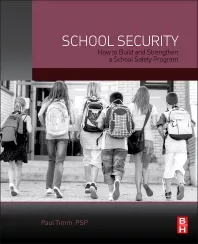
    School Security: How to Build and Strengthen a School Safety Program

  • 150 things.jpg

    The Handbook for School Safety and Security

  • security culture.webp

    Security Culture: A How-to Guide for Improving Security Culture and Dealing with People Risk in Your Organisation

See More Products
×

Sign-up to receive top management & result-driven techniques in the industry.

Join over 20,000+ industry leaders who receive our premium content.

SIGN UP TODAY!
  • RESOURCES
    • Advertise
    • Contact Us
    • Store
    • Want More
  • SIGN UP TODAY
    • Create Account
    • eMagazine
    • Newsletter
    • Customer Service
    • Manage Preferences
  • SERVICES
    • Marketing Services
    • Reprints
    • Market Research
    • List Rental
    • Survey/Respondent Access
  • STAY CONNECTED
    • LinkedIn
    • Facebook
    • YouTube
    • X (Twitter)
  • PRIVACY
    • PRIVACY POLICY
    • TERMS & CONDITIONS
    • DO NOT SELL MY PERSONAL INFORMATION
    • PRIVACY REQUEST
    • ACCESSIBILITY

Copyright ©2026. All Rights Reserved BNP Media, Inc. and BNP Media II, LLC.

Design, CMS, Hosting & Web Development :: ePublishing