Security Magazine logo
search
cart
facebook twitter linkedin youtube
  • Sign In
  • Create Account
  • Sign Out
  • My Account
Security Magazine logo
  • NEWS
    • Security Newswire
    • Technologies & Solutions
  • MANAGEMENT
    • Leadership Management
    • Enterprise Services
    • Security Education & Training
    • Logical Security
    • Security & Business Resilience
    • Profiles in Excellence
  • PHYSICAL
    • Access Management
    • Fire & Life Safety
    • Identity Management
    • Physical Security
    • Video Surveillance
    • Case Studies (Physical)
  • CYBER
    • Cybersecurity News
    • More
  • BLOG
  • COLUMNS
    • Career Intelligence
    • Cyber Tactics
    • Cybersecurity Education & Training
    • Leadership & Management
    • Security Talk
  • EXCLUSIVES
    • Annual Guarding Report
    • Most Influential People in Security
    • The Security Benchmark Report
    • Top Guard and Security Officer Companies
    • Top Cybersecurity Leaders
    • Women in Security
  • SECTORS
    • Arenas / Stadiums / Leagues / Entertainment
    • Banking/Finance/Insurance
    • Construction, Real Estate, Property Management
    • Education: K-12
    • Education: University
    • Government: Federal, State and Local
    • Hospitality & Casinos
    • Hospitals & Medical Centers
    • Infrastructure:Electric,Gas & Water
    • Ports: Sea, Land, & Air
    • Retail/Restaurants/Convenience
    • Transportation/Logistics/Supply Chain/Distribution/ Warehousing
  • EVENTS
    • Industry Events
    • Webinars
    • Solutions by Sector
    • Security 500 Conference
  • MEDIA
    • Interactive Spotlight
    • Photo Galleries
    • Podcasts
    • Polls
    • Videos
      • Cybersecurity & Geopolitical Discussion
      • Ask Me Anything (AMA) Series
  • MORE
    • Call for Entries
    • Classifieds & Job Listings
    • Continuing Education
    • Newsletter
    • Sponsor Insights
    • Store
    • White Papers
  • EMAG
    • eMagazine
    • This Month's Content
    • Advertise
  • SIGN UP!

Mobile Phones as Emergency Alert Systems
September 1, 2007
Many schools now feel obligated to install some type of mobile phone system whether it makes sense at their particular campus or not.


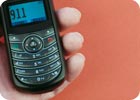
After the Virginia Tech shootings there was naturally a resurgent flurry of activity surrounding the specification, selection and deployment of emergency alert systems for campus populations that tie mobile phones into the mix.

“Resurgent” because this genre has certainly been visited before, often several times by school after school. So what has been holding up the deployment of what appears on the surface to be a natural fit for quickly reaching thousands of known recipients? The basic desire to leverage the technology of the mobile phone for emergency alert systems in its simplest form seems obvious, until upon further exploration a plethora of complexities arise.

One such barrier has dissipated on its own over the years – the pervasiveness of mobile phone devices among campus populations. Today, most students, faculty and staff arrive with their own devices in tow. As that barrier falls, others arise as a result. Is the school now obligated to supply devices to those who don’t already own one? Can school authorities legally demand that all campus personnel supply their private cell phone numbers to the school authorities and, if not, how does the school successfully encourage the entire campus population to opt in?

NO GUARANTEE

Is there a guarantee that the alert system, however it is configured, will work equally on all platforms, networks and devices? If someone does not receive the alert in a timely fashion, is the network carrier potentially liable for possibly harmful results of undelivered messages? Is there enough cell tower capacity to handle the upsurge in use during an emergency and can that added cost be justified if only used once or twice a year?

And, unfortunately, the most common barrier to date has been the annual cost of these systems, which have not always fit into current school budgets. Like insurance, schools have to weigh how much they are willing to spend on a system, hoping they may never need it. And then this – if the campus population’s mobile phones are part of an emergency alert system, can the school continue to maintain a policy of no cell phones turned on during class to combat the recent issue of using text messaging to cheat on exams, a policy many schools have implemented?

After Virginia Tech, many schools now feel obligated to install some type of mobile phone system whether is makes sense at their particular campus or not. In the event something out of the ordinary does happen, they will not be liable for not having a system in place. Will the system solve the problem? That has yet to be seen. The school’s liability issues will be covered but will it save lives in the case of a campus shooter? The mobile phone part of the system has already been used for hurricane alerts and cancelled classes, all of which have more response time available to the recipient than a potential campus shooting.

And so far, no one has stated what the message at Virginia Tech would have been, if they had had their impending mobile alert system already in place. There was a shooting in a dorm, so would the school have told everyone not to go to class and stay in the dorms, which may have appeared to be less safe than the classrooms? For schools dealing with impending disasters, such as severe weather or close proximity to a chemical plant, these systems can be more than justified. Many of these campuses have been proactive in having a system in place. For other locations, a rush to add the mobile phone technology into their emergency alert system that consumes a decent piece of the budgets may not be the best approach.

There are several vendors who are addressing all these issues one way or another. One example: MessageOne provides a system called AlertFind, in which the school contracts for the estimated amount of voice minutes and text messages and can buy more as needed. It’s hosted on secure and redundant infrastructures at off-site disaster recovery data centers. Such a design offers ad-supported text service free to both the university and the recipients, with emergency alerts completely free. MIR3 is a high-end system that offers an on-site or off-site hosted solution. ClearTxt is a text messaging system that is very “school” oriented by including notification of a wide range of school activities. UIEvolution, a software company that provides a platform for the development of device and platform-agnostic mobile applications, suggests that those schools who expect emergency alerts to be few and far between might want to consider building a feature rich application that is considered “the school app” used by everyone on campus for everyday activities, in addition to the occasional emergency.

This could be financially justified more easily due to the heavy use and increased campus communication on a variety of levels, be a means of communication that is then familiar to everyone in emergency situations, addresses the issue of getting everyone to opt in and be tailored to communicate to an intricately segmented database. In addition, it could also be connected to the other emergency alert systems for one touch notification.

Share This Story

Looking for a reprint of this article?
From high-res PDFs to custom plaques, order your copy today!

Recommended Content

JOIN TODAY
To unlock your recommendations.

Already have an account? Sign In

  • Iintegration and use of emerging tools

    Future Proof Your Security Career with AI Skills

    AI’s evolution demands security leaders master...
    Security Leadership and Management
    By: Jerry J. Brennan and Joanne R. Pollock
  • The 2025 Security Benchmark Report

    The 2025 Security Benchmark Report

    The 2025 Security Benchmark Report surveys enterprise...
    The Security Benchmark Report
    By: Rachelle Blair-Frasier
  • The Most Influential People in Security 2025

    Security’s Most Influential People in Security 2025

    Security Magazine’s 2025 Most Influential People in...
    Most Influential People in Security
    By: Security Staff
Manage My Account
  • Security Newsletter
  • eMagazine Subscriptions
  • Manage My Preferences
  • Online Registration
  • Mobile App
  • Subscription Customer Service

More Videos

Sponsored Content

Sponsored Content is a special paid section where industry companies provide high quality, objective, non-commercial content around topics of interest to the Security audience. All Sponsored Content is supplied by the advertising company and any opinions expressed in this article are those of the author and not necessarily reflect the views of Security or its parent company, BNP Media. Interested in participating in our Sponsored Content section? Contact your local rep!

close
  • critical event management
    Sponsored byEverbridge

    Why a Unified View Across IT, Continuity, and Security Makes or Breaks Crisis Response

  • Charlotte Star Room
    Sponsored byAMAROK

    In an Uncertain Economy, Security Is a Necessity - Not an Afterthought

  • Sureview screen
    Sponsored bySureView Systems

    The Evolution of Automation in the Command Center

Popular Stories

Red laptop

Security Leaders Discuss SitusAMC Cyberattack

Cybersecurity trends of 2025

3 Top Cybersecurity Trends from 2025

Green code

Logitech Confirms Data Breach, Security Leaders Respond

Neon human and android hands

65% of the Forbes AI 50 List Leaked Sensitive Information

The Louvre

After the Theft: Why Camera Upgrades Should Begin With a Risk Assessment

Top Cybersecurity Leaders

Events

September 18, 2025

Security Under Fire: Insights on Active Shooter Preparedness and Recovery

ON DEMAND: In today’s complex threat environment, active shooter incidents demand swift, coordinated and well-informed responses.

December 11, 2025

Responding to Evolving Threats in Retail Environments

Retail security professionals are facing an increasingly complex array of security challenges — everything from organized retail crime to evolving cyber-physical threats and public safety concerns.

View All Submit An Event

Products

Security Culture: A How-to Guide for Improving Security Culture and Dealing with People Risk in Your Organisation

Security Culture: A How-to Guide for Improving Security Culture and Dealing with People Risk in Your Organisation

See More Products

Related Articles

  • FCC Upgrades Mobile Emergency Alert System

    See More
  • emergency alert, traffic lights and video surveillance post biggest cybersecurity threat to cities

    Berkeley researchers say emergency alert systems and video surveillance pose biggest security risk

    See More
  • Emergency Communication Systems, Mobile Radios Still Lack Interoperability

    See More

Related Products

See More Products
  • 9781498767118.jpg

    Intelligent Video Surveillance Systems: An Algorithmic Approach

  • SSCP.jpg

    SSCP Systems Security Certified Practitioner Practice Exams

  • intelligent.jpg

    Intelligent Network Video: Understanding Modern Video Surveillance Systems, Second Edition

See More Products

Events

View AllSubmit An Event
  • August 20, 2012

    Radiological Emergency Planning: Terrorism, Security, and Communication

    Participants will examine the latest principles and requirements to prepare for and respond to a radiological emergency as well as develop the skills necessary to effectively communicate with the media and public during crisis situations.
  • March 26, 2025

    Boost Emergency Preparedness: Mastering Mass Notification in Healthcare

    ON DEMAND: In today’s rapidly changing healthcare environment, reliable and timely communication during emergencies is crucial. A well-implemented Mass Notification System (MNS) can differentiate between chaos and control during critical natural disasters, medical emergencies, or security threats.
View AllSubmit An Event
×

Sign-up to receive top management & result-driven techniques in the industry.

Join over 20,000+ industry leaders who receive our premium content.

SIGN UP TODAY!
  • RESOURCES
    • Advertise
    • Contact Us
    • Store
    • Want More
  • SIGN UP TODAY
    • Create Account
    • eMagazine
    • Newsletter
    • Customer Service
    • Manage Preferences
  • SERVICES
    • Marketing Services
    • Reprints
    • Market Research
    • List Rental
    • Survey/Respondent Access
  • STAY CONNECTED
    • LinkedIn
    • Facebook
    • YouTube
    • X (Twitter)
  • PRIVACY
    • PRIVACY POLICY
    • TERMS & CONDITIONS
    • DO NOT SELL MY PERSONAL INFORMATION
    • PRIVACY REQUEST
    • ACCESSIBILITY

Copyright ©2025. All Rights Reserved BNP Media.

Design, CMS, Hosting & Web Development :: ePublishing